
Everything Sayella does
One voice, on every device you already own
Sayella is a complete communication system: a calm, complete core vocabulary on a board you size to suit your child, friendly symbols you can generate from a word or a photo, UK voices, and, on a plan, your words backed up and synced across your devices, on iPhone and iPad now with Android and the web on the way, plus switch access to come. Warm, never babyish, and yours to keep.
The same board on every device, from one account
Edit a board on the iPad at home and it is already there on the phone in your bag. Sayella is built to run on iPhone, iPad, Android and the web from one account. iPhone and iPad are available now, with Android and the web (any browser, including on Windows) coming, so you will never have to match the app to the hardware a family happens to own.
- iPhone
- iPad
- Android (coming soon)
- Web, any browser incl. Windows (coming soon)
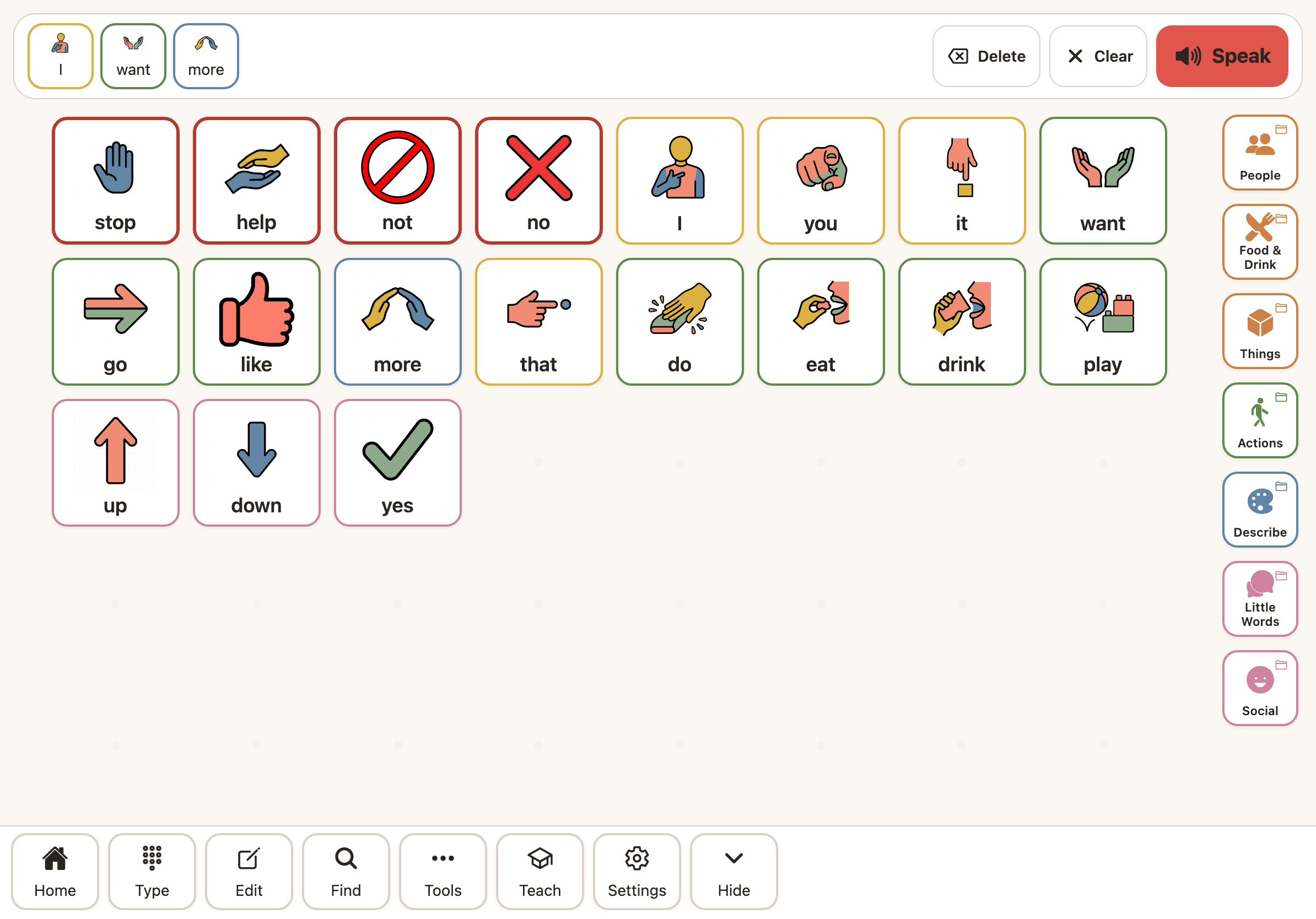
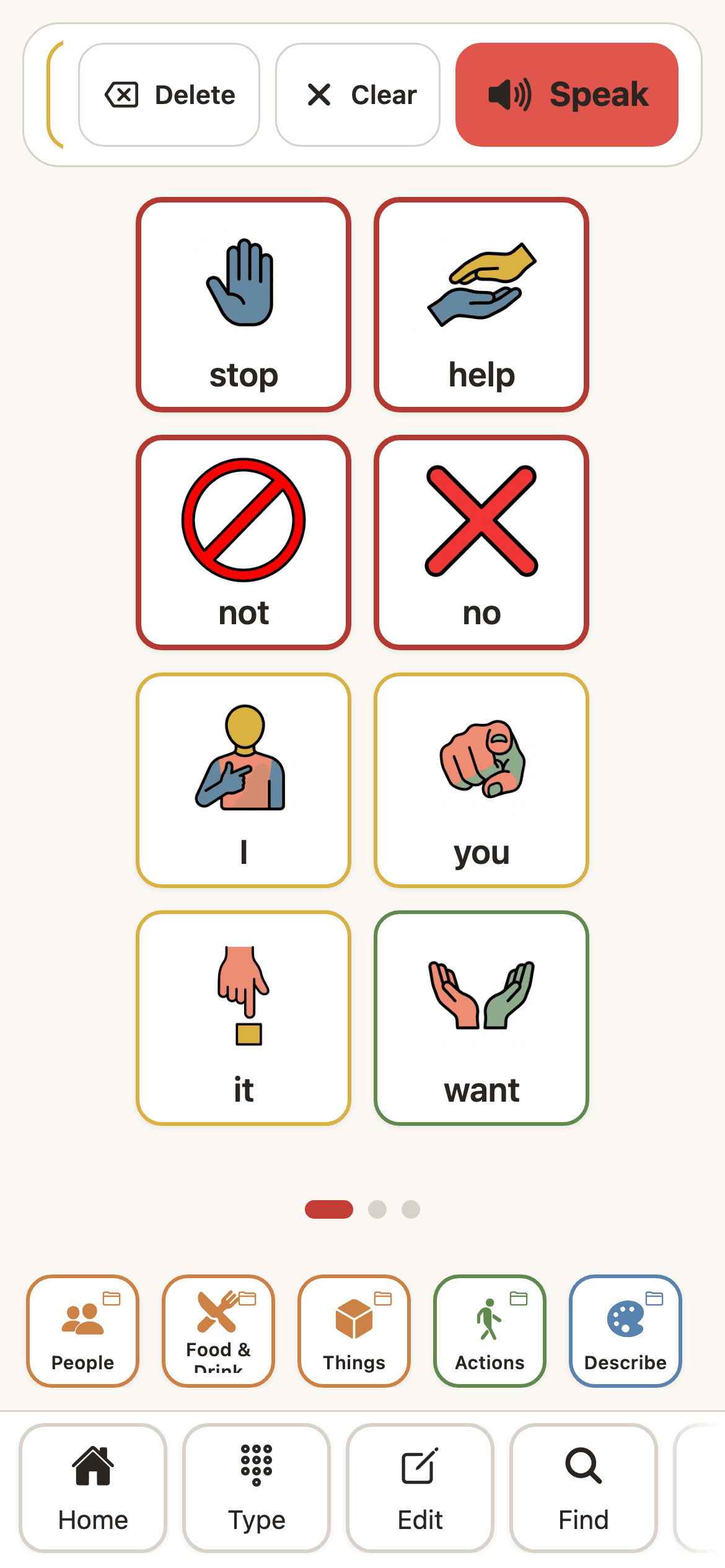
A calm, complete board, sized to suit your child
Sayella is built on a research-based core vocabulary: the few hundred words that make up roughly 80 percent of everything we say. You choose a board size that suits your child, and the full set of core words for that size is always shown, with nothing hidden or greyed out.
It is not overwhelming, because you pick the size to suit the child. Buttons stay where they are as you use the board, so finding a word becomes automatic. Beyond the core, a large searchable word library and ready-made themed packs, food, animals, places, feelings and hundreds more, let you add exactly the words your child needs, without cluttering the board they start from.
A small set of core words accounts for most of everyday communication, and consistent button placement supports the motor learning that makes selection automatic. Sayella applies this by design rather than leaving it to manual editing.
Generate the symbol you actually need
Most symbol sets are missing the words that matter most to a family: a pet’s name, a favourite local food, a relative, a special toy. With Sayella you can make a clear, house-style symbol from a word, or turn a real photo into one, right when you need it. Everyone gets two free to try, and premium plans make it unlimited.
Every generated symbol matches the same warm, consistent style as the rest of the set, so a board never looks like a patchwork. Open-licensed Mulberry symbols form the base, with our own AI house style on top.
AI symbols are made by an adult, behind the account and the edit lock. Two free generations to try, then unlimited on a premium plan. Mulberry symbols are used under CC BY-SA and attributed where shown.
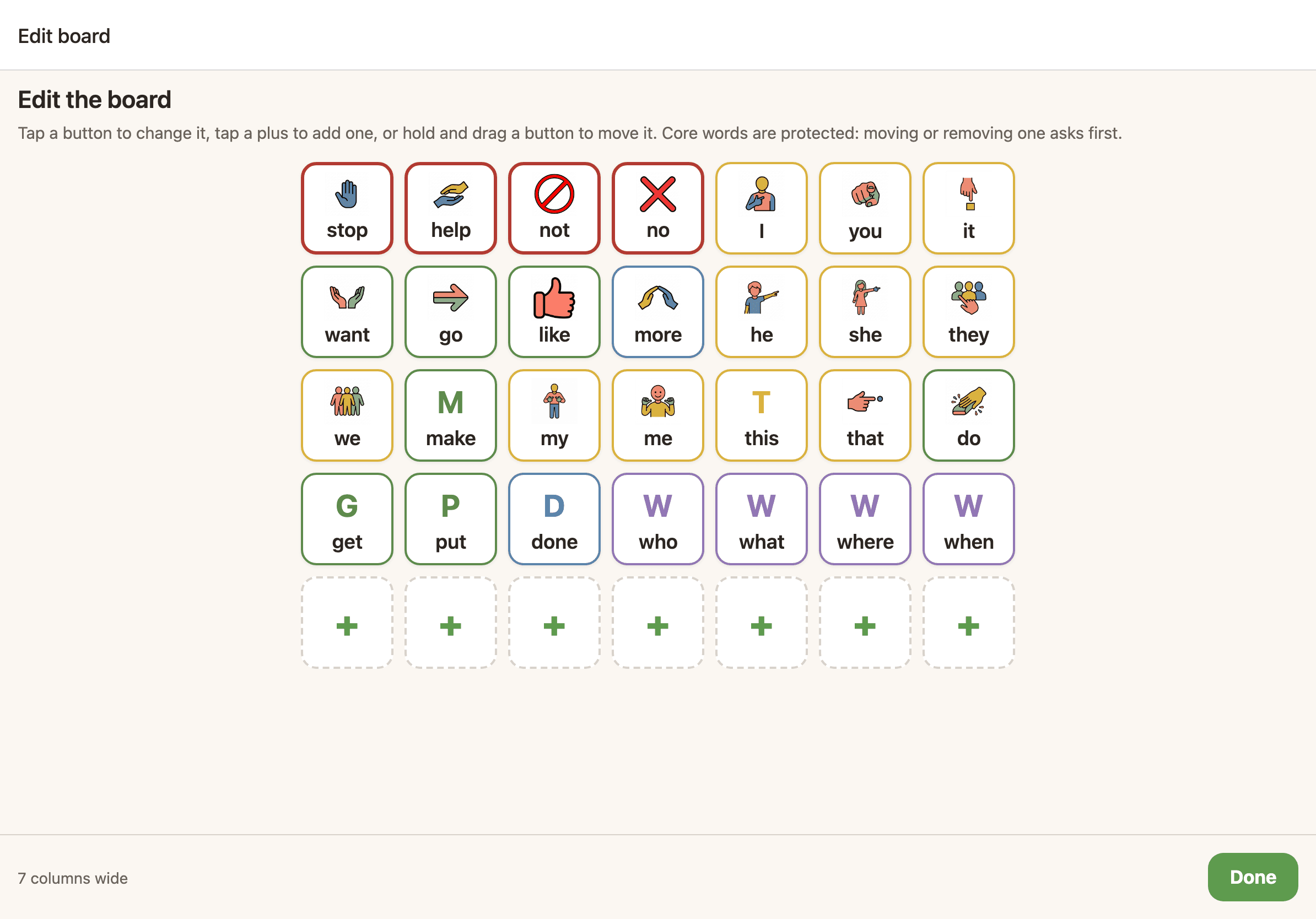
Make it sound and feel like home
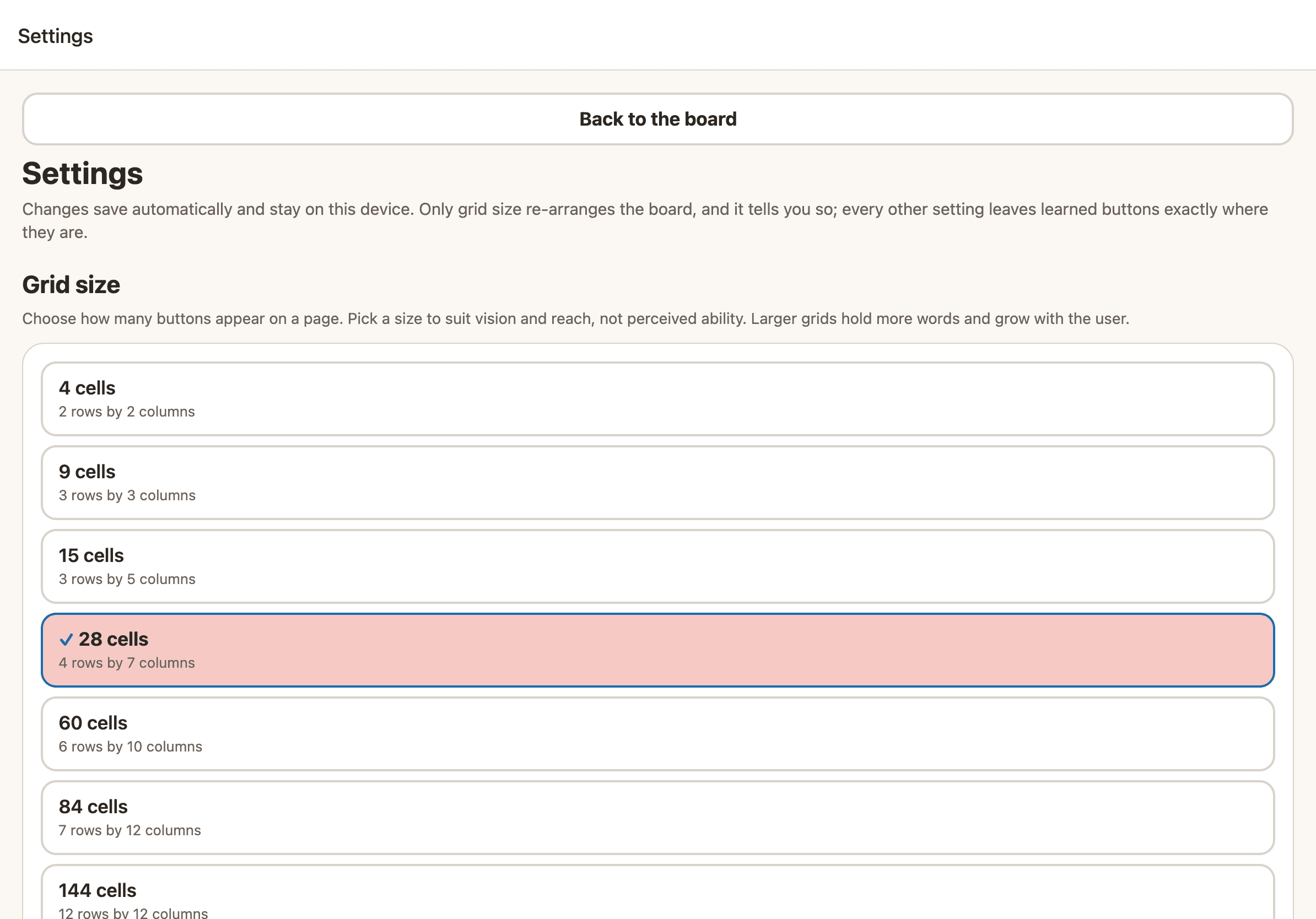
Choose from natural UK voices, with premium UK voices coming soon. Pick a grid size that fits the communicator, from a few large tiles to a dense robust layout, all on the same engine.
Themes include calm warm defaults, a high-contrast option, and a CVI-friendly mode for cortical vision needs. Nothing here is babyish unless you want it to be, so Sayella suits a young child, a teenager and an adult alike.
Access designed in, not bolted on
Touch is the start. Selection uses large, fixed targets with adjustable hit areas, and Sayella works with VoiceOver and TalkBack, with meaningful labels and reading order so the interface can be operated without sight of the screen.
Switch scanning, in linear, row-column and group-item patterns with adjustable scan rate, acceptance time and re-scan delay and a high-contrast configurable highlight, is on our roadmap. Auditory scanning, for a user who scans by ear, will follow. The engine is built and not yet switched on, while we test it with real physical switches.
Touch and screen-reader support (VoiceOver and TalkBack) are available from launch. Switch scanning and auditory scanning are on our roadmap, not yet switched on.
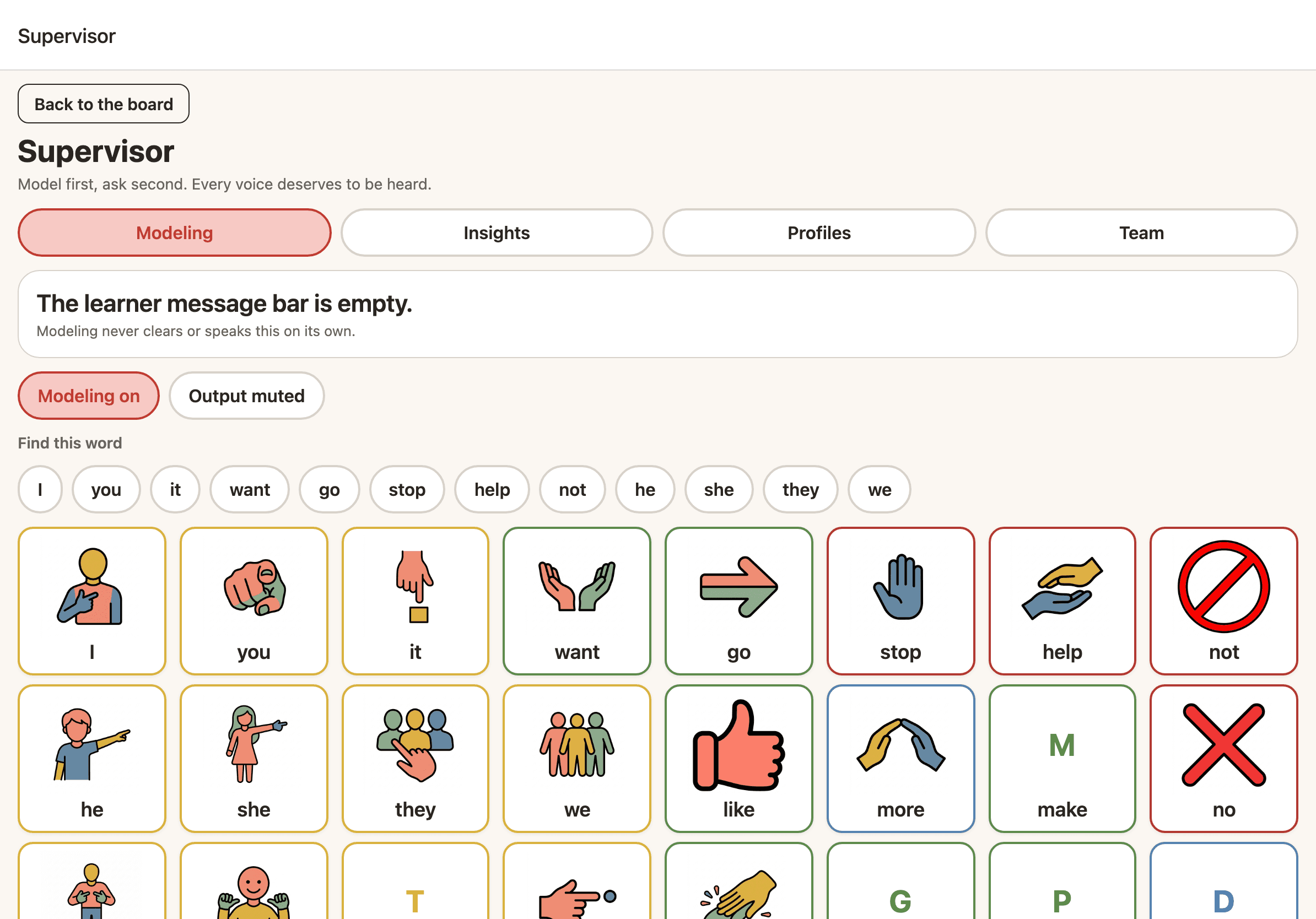
When words give way to text
For communicators moving into literacy, Sayella has a full text and keyboard mode with word prediction and saved phrases. It is the same app and the same account, so there is no migration and nothing to relearn.
Symbols can fade as reading grows, and prediction speeds up longer messages, supporting a teenager or adult who has moved beyond pictures without ever starting over.
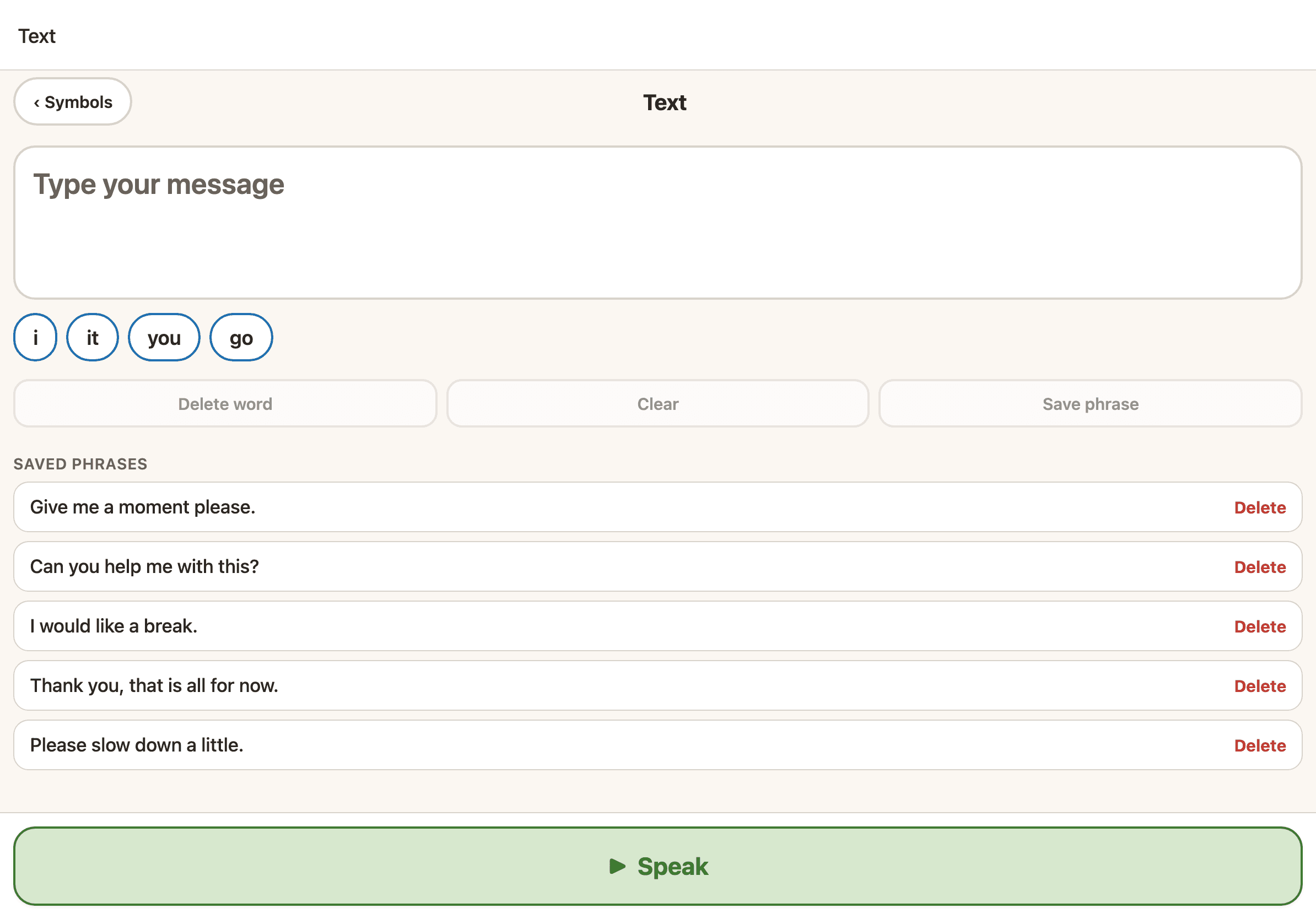
A colour key that helps, never one you have to decode
Sayella colour-codes buttons by part of speech using the Modified Fitzgerald key, applied automatically across every page to support visual scanning and early grammar. Red is reserved for stop, no and help, so the words that matter most stand out at a glance. Colour is never the only signal: every button always pairs a symbol and the printed word.
- IPronouns and people
- goVerbs and actions
- bigAdjectives and descriptors
- drinkNouns
- withPrepositions and social
- whatQuestions
- andConjunctions
- againAdverbs
- moreDeterminers
- stopNegation and emergency
And the practical things that keep a voice working
The features that do not always make the headlines, but make the difference between an app you trust every day and one you do not.
A board editor you can rely on
Arrange buttons by dragging them into place, with undo and automatic backups on every change. Everyday talking mode is fully locked, so a button can never be moved or deleted by accident.
Offline first
Speech works with no internet connection at all. If your signal drops, your voice does not. Cloud features use the network, but talking never depends on one.
Cloud sync and backup
Your vocabulary is backed up and synced across every device on your account, so a lost, dropped or wiped device never means lost words. Sync is part of the subscription.
Family and therapist team accounts
Parents and therapists can share supervisor access to set up, model and support a communicator together, including remotely across a caseload.
Your data is portable
Import boards from Proloquo or TD Snap, and export yours any time, both in the open Open Board Format. Your words are yours, with no lock-in, ever.
Open Board Format import and export is built and shippable, not a roadmap promise.
UK English, properly
UK spelling, UK voices and UK-relevant vocabulary, built on established research into core vocabulary, so the words and the spellings match the family using them.
Sign in in a tap
Create your account with Sign in with Apple, or a simple email if you prefer. Your plan and your words follow the account, so a second device is ready in seconds with nothing to set up twice.
Ready-made word packs
Add themed sets of words as your child is ready, food, animals, places, feelings and hundreds more, from a large searchable library. Grow the board without ever cluttering the words they start from.
Give your child their voice today
Start free on iPhone or iPad, with Android and the web coming, and keep talking offline forever. When you are ready, see the lifetime price, with no forced subscription and your words always yours.