
One system, every stage
One app that grows with your child, never one to outgrow
Most families dread the day they outgrow an app and have to start over. With Sayella there is no starting over. One system carries a communicator from first words to full sentences and on to text. You pick a board size that suits your child today, and choose a bigger board whenever they are ready for more.
The journey, stage by stage
The same app, the same account, the same muscle memory. Here is how a communicator moves from a handful of first words to full, literate sentences, without ever starting over.
Stage 1A small board
First words, big tiles, and lots of modelling.
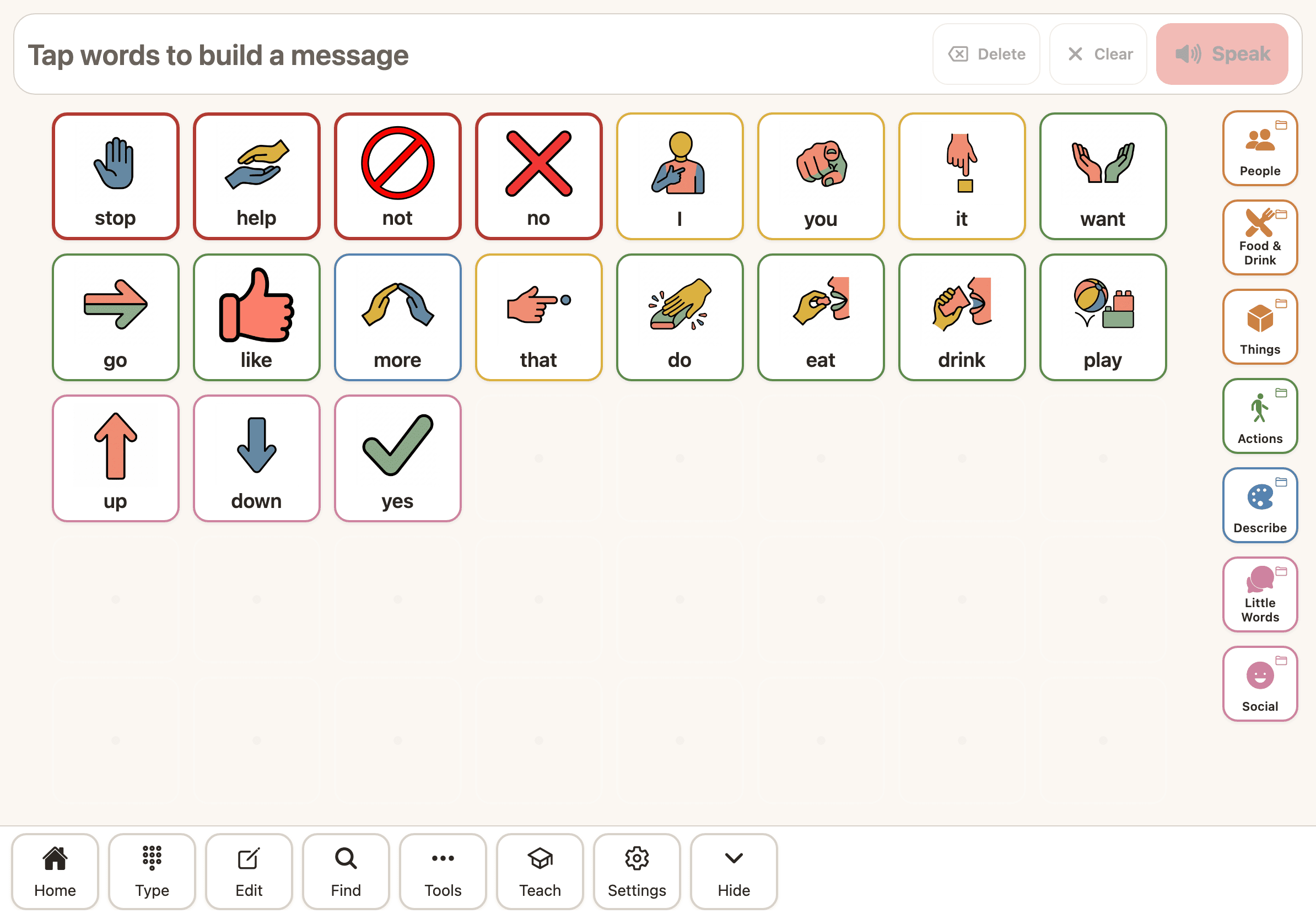
For a brand-new communicator, choose a small board: a few large buttons with core words like I, want, more and stop, always in reach. The full set of core words for that size is shown, with nothing hidden or greyed out.
The grown-ups around the child model these words constantly, showing what AAC is for. A smaller board is calm and uncluttered, so first attempts feel achievable rather than overwhelming.
Stage 2A standard board
More core words, the colour key, and modelling that sticks.
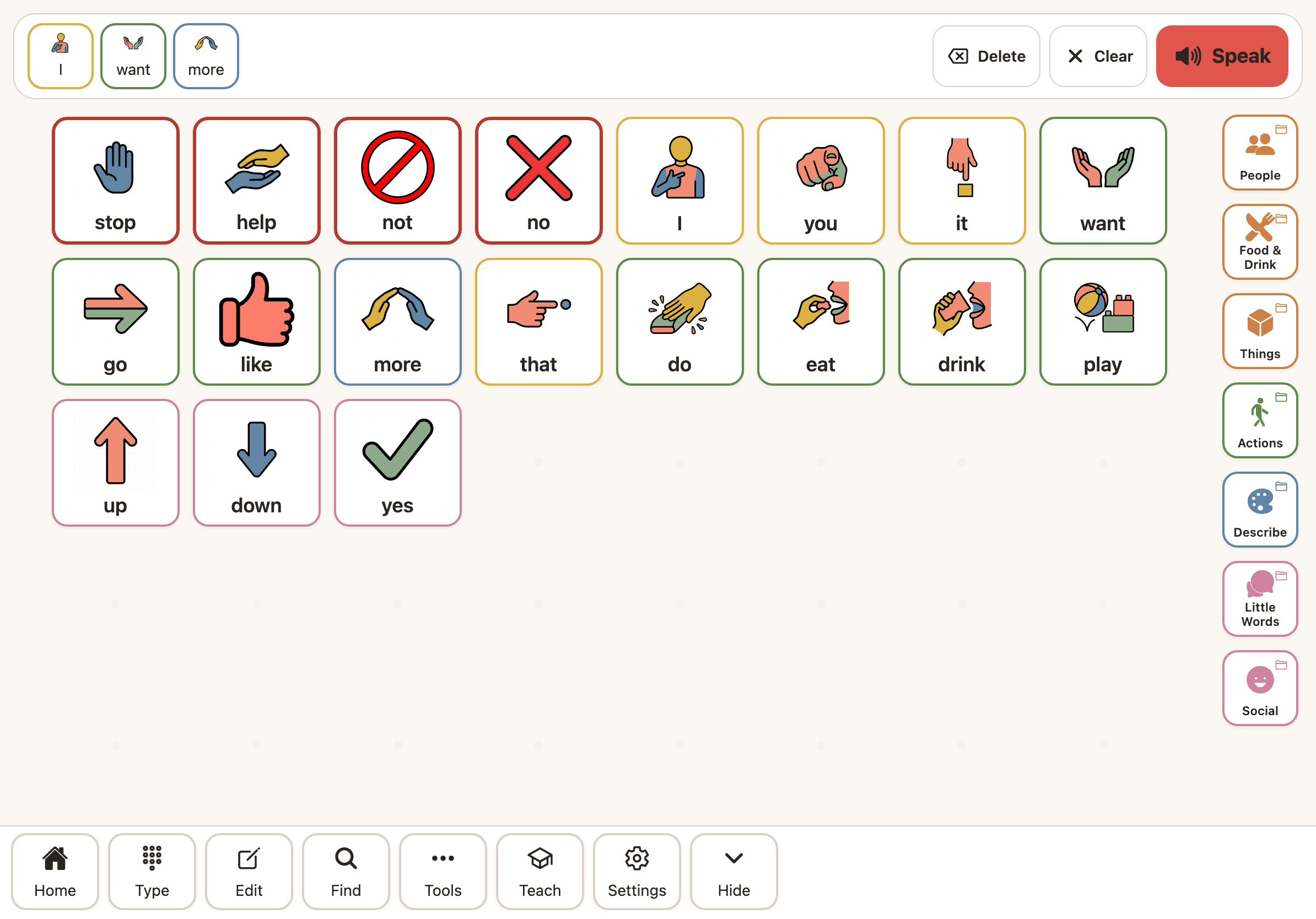
As confidence grows, choose a standard board with more core words on it. The Modified Fitzgerald colour key starts doing quiet work, grouping words by part of speech to support scanning and early grammar.
The full set of core words for the board size is always shown, with nothing hidden or greyed out. Choosing a bigger board re-arranges it to fit, and that is the one deliberate change you make.
Stage 3Fringe and folders
Categories and folders add the specific words a life needs.
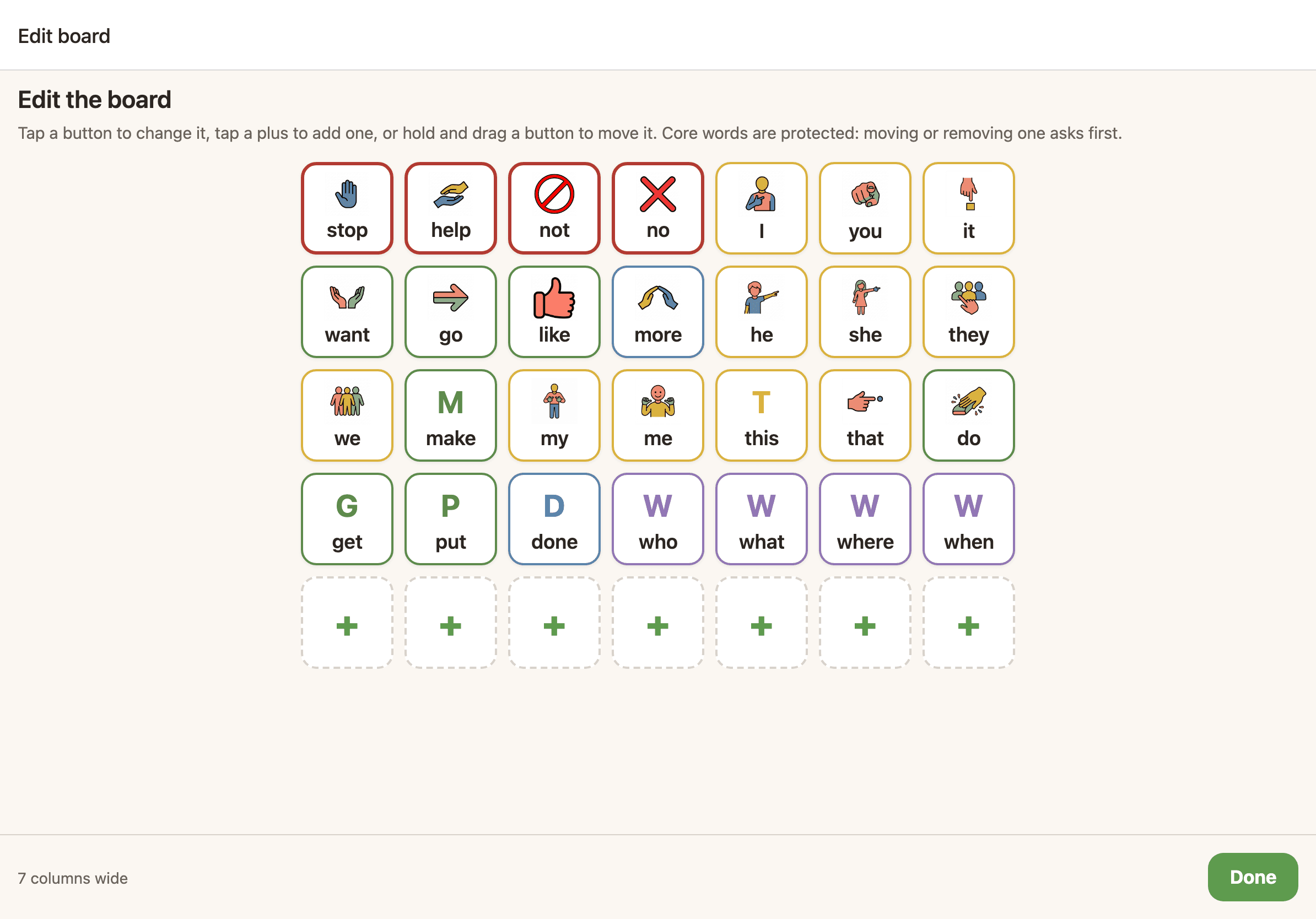
Core words carry most of everyday talk, but a child also needs the specific nouns of their own world: foods, toys, places, the names of people and pets. These fringe words live in clearly organised folders by category.
You can arrange and personalise these folders in the board editor, adding photos (and generated symbols once available) for the things that matter most, while the core layout underneath stays untouched.
Stage 4A larger board
A full vocabulary, grammar and morphology, on a denser board.
A confident communicator can move to a larger board: the full core vocabulary, word endings and grammar, with hundreds of words within a few taps. Literacy is woven throughout.
It is more capable, but it is not a new app. It is the same warm core vocabulary on a bigger board, so the step up feels like growth, not relearning.
Stage 5Text and keyboard
Literacy, word prediction, and saved phrases, when reading takes over.
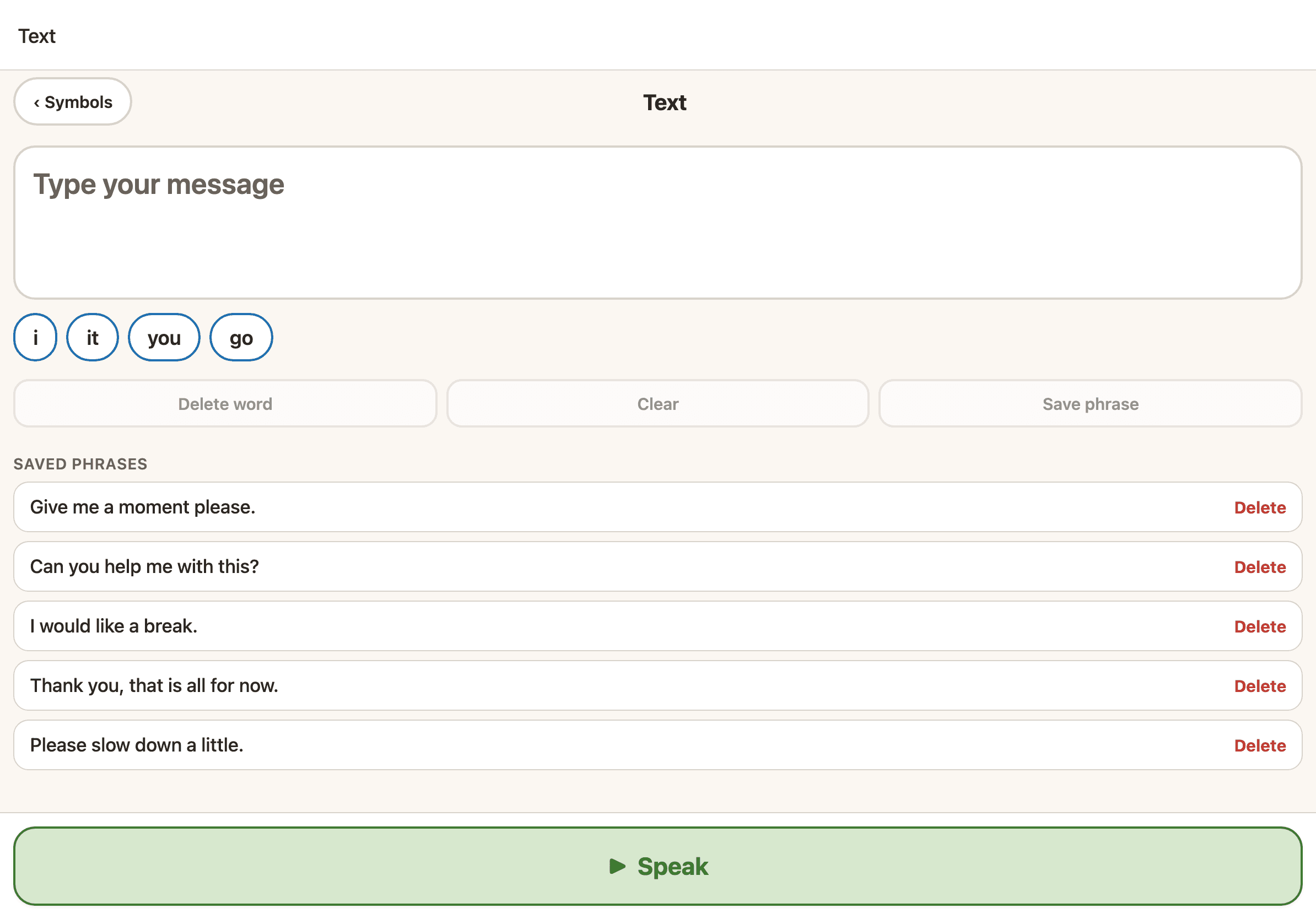
For a communicator who has moved beyond pictures, Sayella has a full text and keyboard mode with word prediction and saved phrases. Symbols can fade as reading grows.
It is the same account and the same voice, so a teenager or adult keeps everything they built and simply talks in a new way. There is no migration, and nothing to lose.
One calm, complete board
This is the promise that makes the whole journey work. You choose a board size that suits your child, and the full set of core words for that size is always there, with nothing hidden or greyed out. Buttons stay where they are as you use the board.
Because a word lives in the same place every time, reaching for it becomes automatic, a steady motor path rather than a fresh search. When your child is ready for more, you choose a bigger board, the one deliberate change, so the layout never feels overwhelming and never shifts under them by surprise.
For the grown-ups doing the modelling
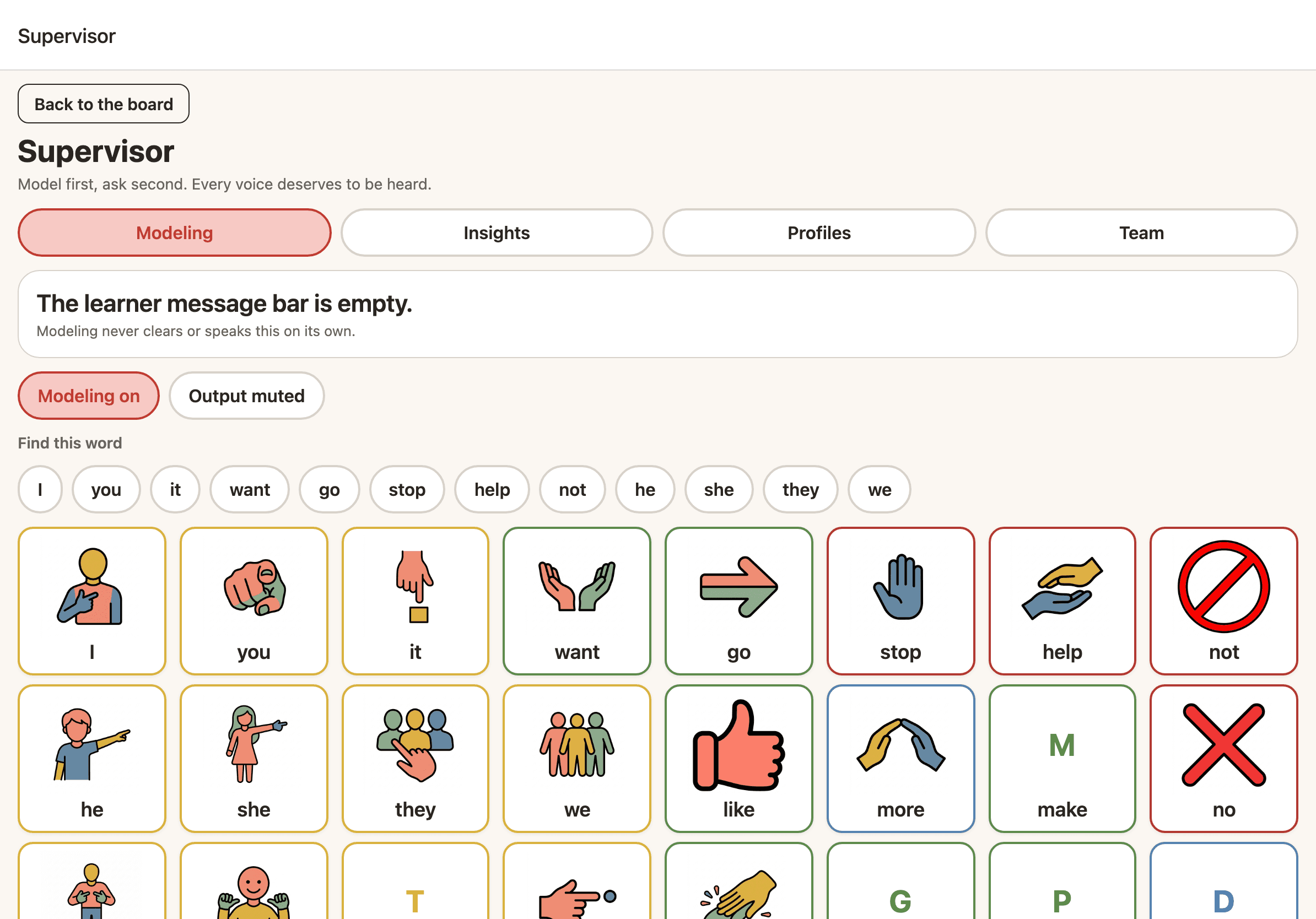
Children learn AAC by seeing it used. Sayella’s partner tools let you model a message silently without triggering speech, highlight the path to a word, and use find-this-word to show exactly where a word lives on the board.
Modelling never clears the message your communicator is building, so you can show a word and hand the board straight back. Therapists and family members can share supervisor access, including remotely, to support the same learner together.
One voice, all the way through
Start free today and grow into every stage on the same account. See everything Sayella can do, or download and begin.